A wallet on a crypto exchange and a hardware wallet can show the same balance, but they leave you with very different problems if something goes wrong. With an exchange, you depend on the platform to safeguard the assets and process withdrawals. With a self-custody wallet, you control access—but you also have to protect the backup that makes recovery possible.
The choice isn’t simply “convenient versus secure”. A hardware device can’t stop you approving a fraudulent transaction. A software wallet can be sensible for small, frequent transfers. And an exchange account may be easier to recover after a lost password than a self-custody wallet with a lost recovery phrase. The useful question is: which risks are you equipped to manage?
What a crypto wallet actually holds
Crypto assets are recorded on a blockchain, not stored inside a phone, browser extension or USB-sized device. A wallet manages the private keys used to authorise transactions. Its public address is what you give someone to receive assets; the private key is what must remain secret. ASIC’s guide to buying and storing crypto distinguishes between software wallets, which may be held by you or a platform, and hardware wallets, which keep private keys on a separate device.
Two distinctions matter here. Custodial versus self-custody describes who controls the keys. Hot versus cold describes whether the keys are kept on an internet-connected device or offline. An exchange account is generally custodial. A typical self-custody phone or browser wallet is hot. A hardware wallet is designed to keep its keys offline, even when you use an internet-connected app to prepare a transaction.
| Option | Who controls access? | Main advantage | Main responsibility or risk |
|---|---|---|---|
| Exchange account | The platform controls the keys for assets it holds on your behalf | Easy buying, selling and account-based access | You rely on the platform’s security, solvency and withdrawal processes |
| Self-custody software wallet | You control the keys, usually through an app or extension | Convenient direct access to blockchain transactions and applications | You must protect the device, approvals and recovery method |
| Hardware wallet | You control keys held on a separate device | Better isolation of keys from an online phone or computer | You must protect the device’s backup and check what you approve |
A wallet app can also act as the interface for a hardware device. In that setup, the app prepares transactions, while the hardware wallet holds the keys and signs them. Installing an app does not, by itself, tell you who has custody.
Exchange custody: convenient, but dependent on the platform
Leaving crypto on the exchange where you bought it removes a demanding task: you don’t have to set up and protect a personal recovery phrase for those exchange-held assets. You can generally use the platform’s account recovery process if you forget a password. That makes exchange custody a reasonable practical choice for someone who trades regularly or is still learning how transfers work.
The trade-off is control. You normally can’t use an exchange-held balance as though it were a personal wallet until you withdraw it. Access can also depend on the platform’s withdrawal rules and continued operation. ASIC warns that many crypto providers are unlicensed and protections may be limited if a platform fails or is hacked. Crypto held on an exchange should not be treated like money in an Australian bank account.
If you keep assets on an exchange, use a unique password and strong multifactor authentication, secure the email account tied to it, and learn how withdrawals are approved. Before depositing a substantial amount, check the platform’s custody arrangements, withdrawal controls and supported assets.
The exchange cannot fix every kind of mistake. If you authorise a withdrawal to the wrong address, account recovery is a different matter from recovering the assets sent.
Software wallets: direct access with a larger online exposure
A self-custody software wallet runs on a phone, computer or browser. It can be a practical way to make occasional payments, hold a modest working balance or use blockchain applications. You can receive assets without asking an exchange to process a withdrawal, and you control transactions using the wallet’s keys.
That convenience puts the wallet close to everyday online risks: a compromised device, a fake extension, a phishing page or a transaction prompt you misunderstand. A phone PIN or app password helps protect access to the device, but it is not a substitute for securing the wallet’s recovery method. Anyone who obtains a valid recovery phrase for a conventional seed-based wallet may be able to restore it elsewhere.
For a wallet you plan to use often, keep the software and operating system updated, install it through the provider’s genuine channel and avoid adding unfamiliar extensions. Be especially careful with requests to sign or approve: an approval can grant a smart contract permission to move tokens, even if no transfer appears to happen immediately. ASIC’s crypto scam guidance advises against signing requests you cannot understand.
Software wallets aren’t all built alike. Some use different recovery arrangements, including smart-account features, so check the specific wallet’s instructions before assuming that the usual seed-phrase advice covers it.
Hardware wallets: stronger key isolation, not automatic safety
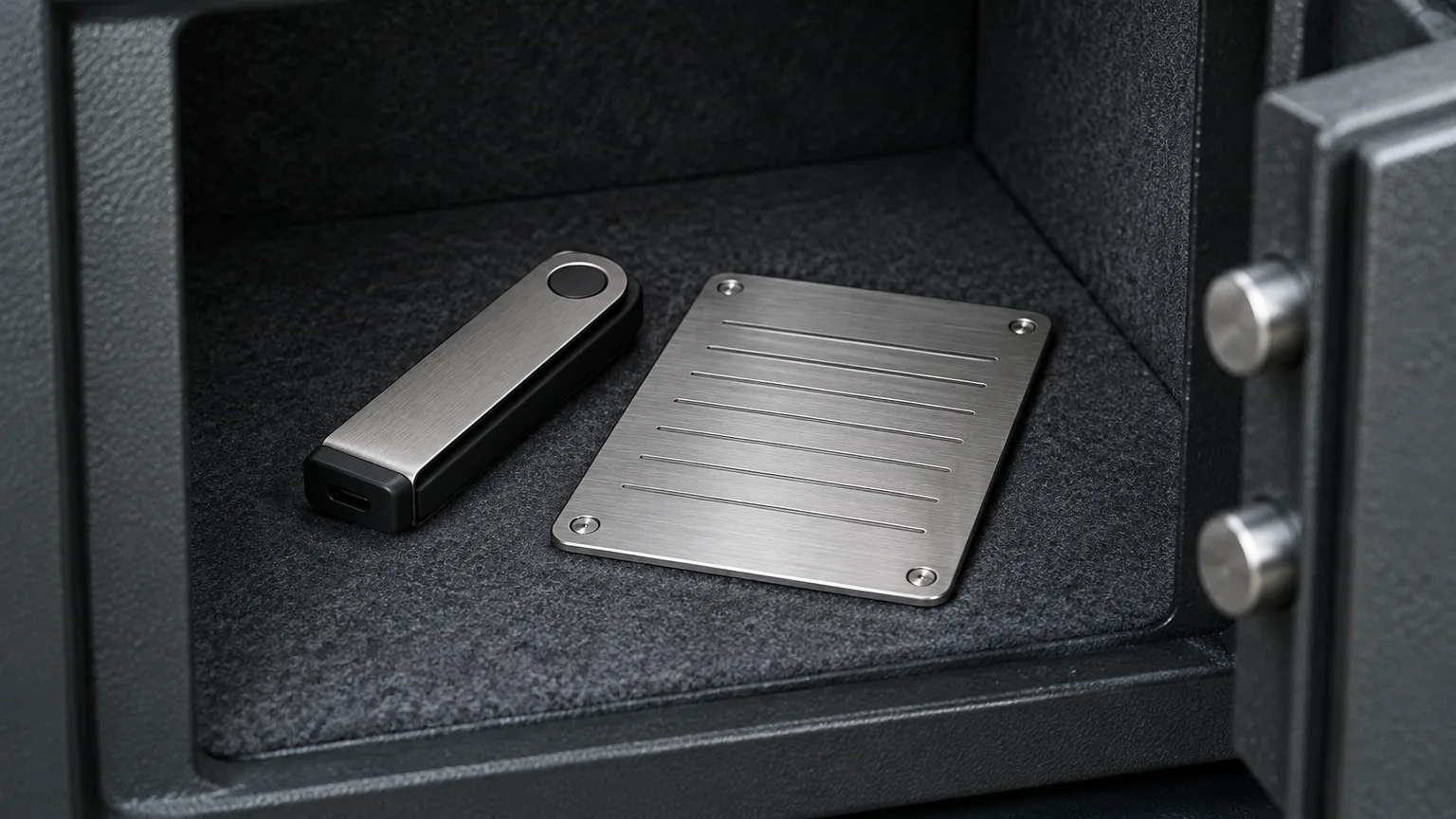
A hardware wallet keeps private keys on a dedicated device and signs transactions there. That can reduce the chance that malware on your phone or computer steals the keys. It is a strong option for assets you intend to hold rather than use frequently, provided you’re prepared to manage its backup properly.
You still use software to view balances and prepare transactions. The crucial extra step is checking the transaction details on the hardware device itself before approving them. A convincing website or compromised computer may show you something different from what you are about to sign. Hardware-wallet maker Ledger’s guidance on checking transaction details stresses the device display for this reason.
Nor does a hardware wallet make every transaction safe. If you knowingly confirm an attacker’s address or a malicious contract approval, the device may faithfully sign the harmful action. It also adds purchase cost, setup steps and a physical item to protect. Buy through the manufacturer or an authorised seller, and reject any device that arrives with a recovery phrase already supplied: the phrase should be generated during your own setup.
Before choosing a model, check support for the particular asset and network you use. “Supports this token” is not enough if the exchange’s withdrawal network, wallet software and hardware device do not work together.
The recovery phrase is the critical backup
Many self-custody wallets generate a recovery phrase, often called a seed phrase: an ordered list of words from which wallet keys can be restored. It is not an account password that support staff can reset. For a conventional seed-based wallet, someone with the phrase can potentially gain access without possessing your phone or hardware device. Ethereum’s wallet security guidance makes the rule plain: never give a recovery phrase to a website or someone claiming to be support.
A sound backup is both private and recoverable:
- Record the words in their exact order using the wallet’s setup instructions. Check that they are legible and complete.
- Keep the backup offline, protected from theft, fire and accidental disposal. For substantial holdings, consider whether securely stored copies in separate places reduce the risk of a single loss.
- Don’t photograph it, paste it into a chat, save it in ordinary cloud notes or enter a hardware wallet’s phrase into a website. These shortcuts can defeat the protection you bought the device for.
- Use the wallet provider’s genuine backup-check feature, if offered, rather than experimenting with an unfamiliar “recovery checker”. Trezor, for example, provides a check-backup process to confirm a recorded backup before a device is wiped.
Recovery formats differ. A phrase may restore a wallet in compatible software or hardware, but compatibility should be checked rather than assumed. Some setups also use an optional passphrase that creates a separate wallet: restoring the words alone will not open it. Trezor’s passphrase explanation notes that a forgotten passphrase cannot be recovered. If you do not need that extra complexity, don’t add it casually.
What recovery can—and cannot—do
If a self-custody phone or hardware device is lost, an intact recovery method may let you regain access through a compatible wallet. If the device still works but you discover that its only backup is missing or wrong, the safer course is to set up a new wallet with a verified backup and transfer the assets while you still have access.
If both the device and the necessary recovery information are gone, there may be no way to regain control. An exchange account is different: its support team may be able to help restore account access, although that does not guarantee recovery of stolen assets. Ethereum’s wallet recovery FAQ explains the distinction between restoring a self-custody wallet and recovering an exchange login.
If you think someone has seen your recovery phrase, treat the wallet as compromised. While you still control it, move assets to a new wallet created with a new backup; changing the app password does not revoke the old phrase. Be wary of anyone offering paid “wallet recovery” or asking you to type the phrase into a form.
Move assets carefully—and keep the records
Moving from an exchange to self-custody is a real transaction, not a change to an account setting. First confirm the asset, the receiving wallet’s address and the network selected for withdrawal. Check any network or withdrawal fee. For a meaningful balance, send a small test amount, confirm it arrives and only then send the rest. Recheck the address rather than trusting one copied earlier: blockchain transfers to the wrong recipient generally cannot be reversed.
Keep the exchange withdrawal record and the receiving transaction details. For Australian tax purposes, the ATO’s guidance on crypto-asset transactions says moving crypto between wallets while retaining ownership is not itself a disposal, though using crypto to pay a network fee can have capital gains tax consequences. Keep records that show both sides of the transfer and your original acquisition cost.
The best arrangement may use more than one option: an exchange balance for near-term trades, a small software-wallet balance for regular activity, and a hardware wallet for assets you seldom move. But splitting holdings adds administration. If you cannot yet explain how you would recover each wallet—or safely send a test transaction—start small. Good custody is the arrangement you can operate accurately when something goes wrong, not merely the one with the most security features.
Disclaimer
This article provides general information, not personal financial or tax advice. Crypto assets are high risk; consider your circumstances and seek qualified advice where needed.